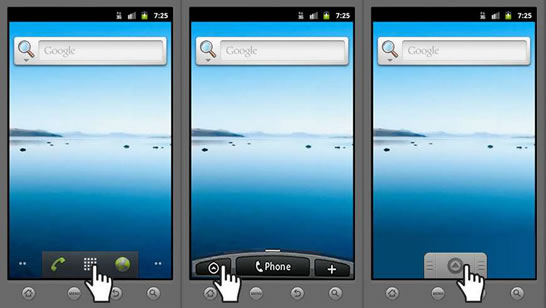
1. Select the Applications button.
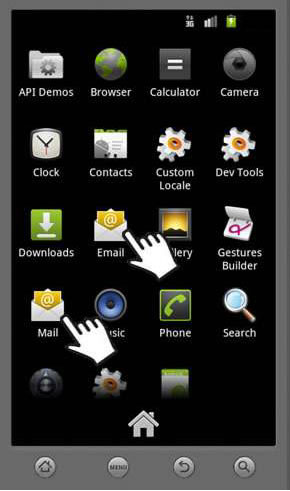
2. Select “Email” or “Mail”.
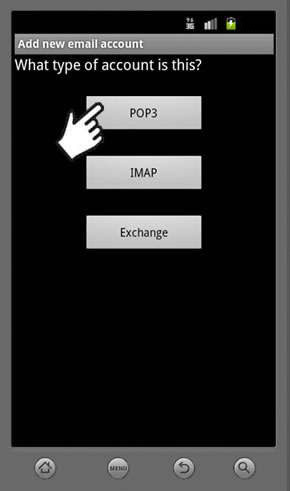
3. Select “POP3”.
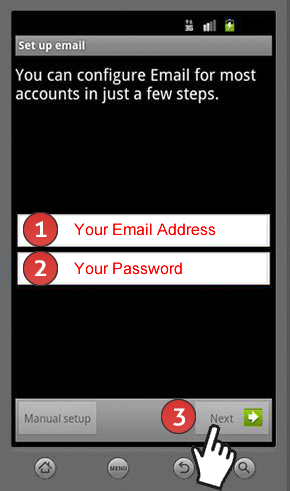
4. Do the following:
- 1. Enter “Your Email Address”
- 2. Enter “Your Password”
- 3. Select “Next”
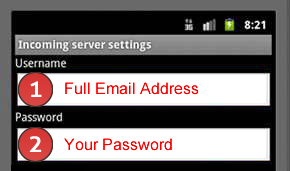
5. Do the following:
- 1. Enter your “Full Email Address”
- 2. Enter “Your Password”
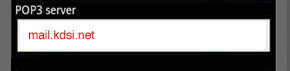
6. Enter mail.kdsi.net.
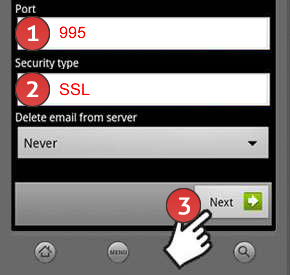
7. Do the following:
- 1. Enter 995 for the port
- 2. Select “SSL” for the security type
- 3. Select “Next”
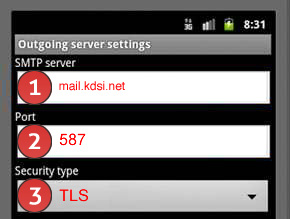
8. Do the following:
- 1. Enter mail.kdsi.net for the SMTP server
- 2. Enter 587 for the port
- 3. Select “TLS” for the security type
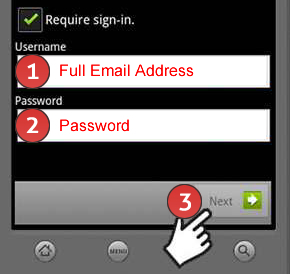
9. Do the following:
- 1. Enter your “Full Email Address”
- 2. Enter your “Password”
- 3. Select “Next”
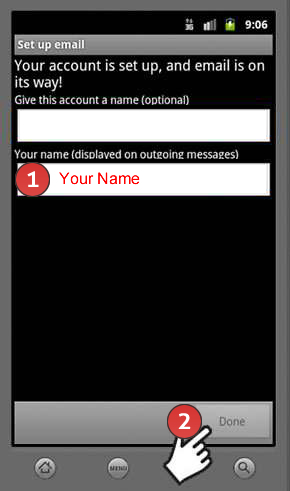
10. Do the following:
- 1. Enter “Your Name”
- 2. Select “Done”
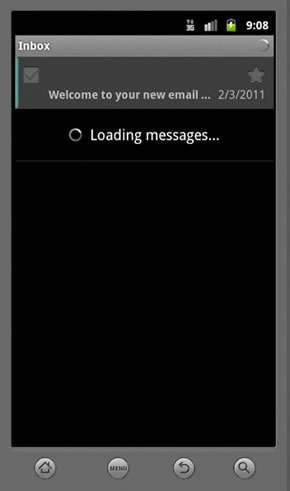
11. You have completed the setup.